Websites and custom domains
Where: Settings → Websites · Settings → Configuration → Custom domains
Settings → Websites defines your storefront site(s): Name, Domain, Default currency (3-letter code), and Default locale. Validation: “Name, domain, and a 3-letter currency are required.”; a duplicate domain fails with “Save failed (domain may already be in use)”.
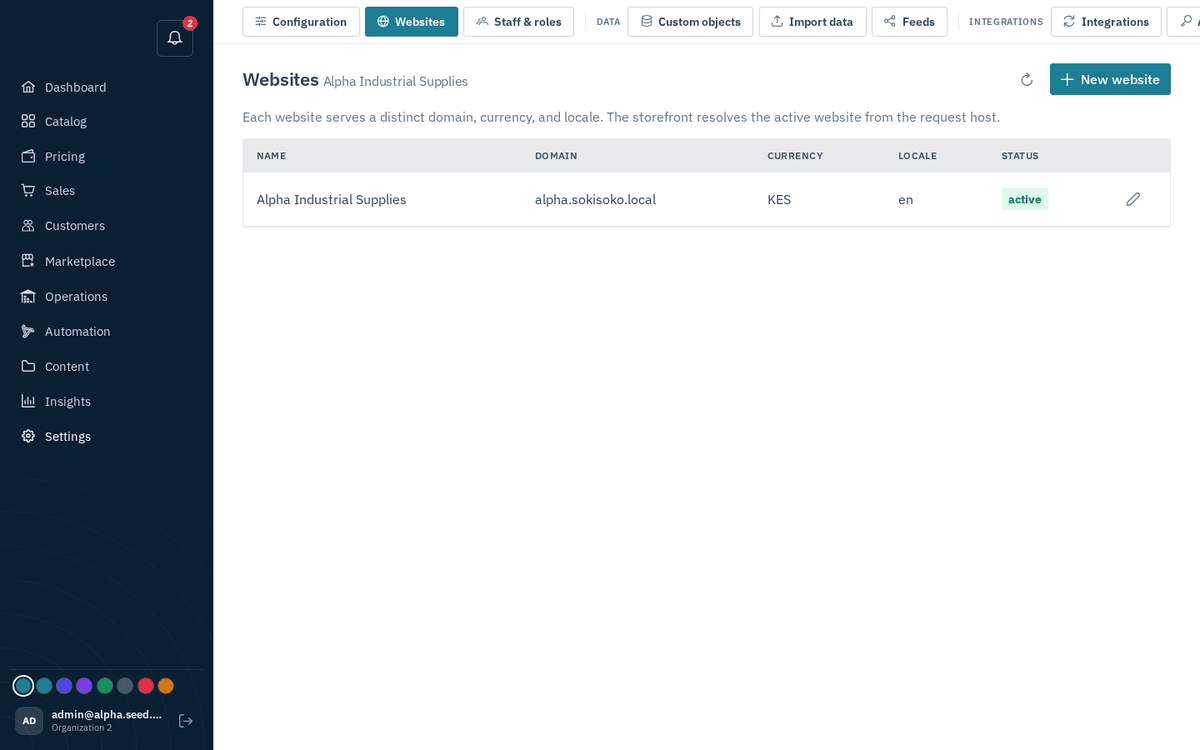
Settings → Websites — domain, default currency and locale per storefront
The website’s Default currency is also the display currency for your entire admin console — prices, orders, dashboards, everything. Set it correctly before entering prices.
Custom domains
A website's Domain is the address it answers on. To add more — a second brand domain, or a move from a platform subdomain to your own — use Settings → Configuration → Custom domains:
- Type the domain (e.g.
shop.yourcompany.com) and press Add domain. - The panel shows the DNS record to create — Add this DNS record at your domain provider, then click Verify — with Copy name and Copy value buttons. Add it at your registrar or DNS host.
- Press Verify. TLS is issued automatically on the first visit.
- Make primary switches which domain is canonical; Remove detaches one.
Each storefront answers only on the domains configured for it — there is no fallback. A visitor who opens any other host sees "No store is configured for this address".