Account health
Where: Customers → Account health
Customers → Account health watches each account’s own ordering rhythm and flags the ones slipping below it — the point is to call the account before it’s lost.
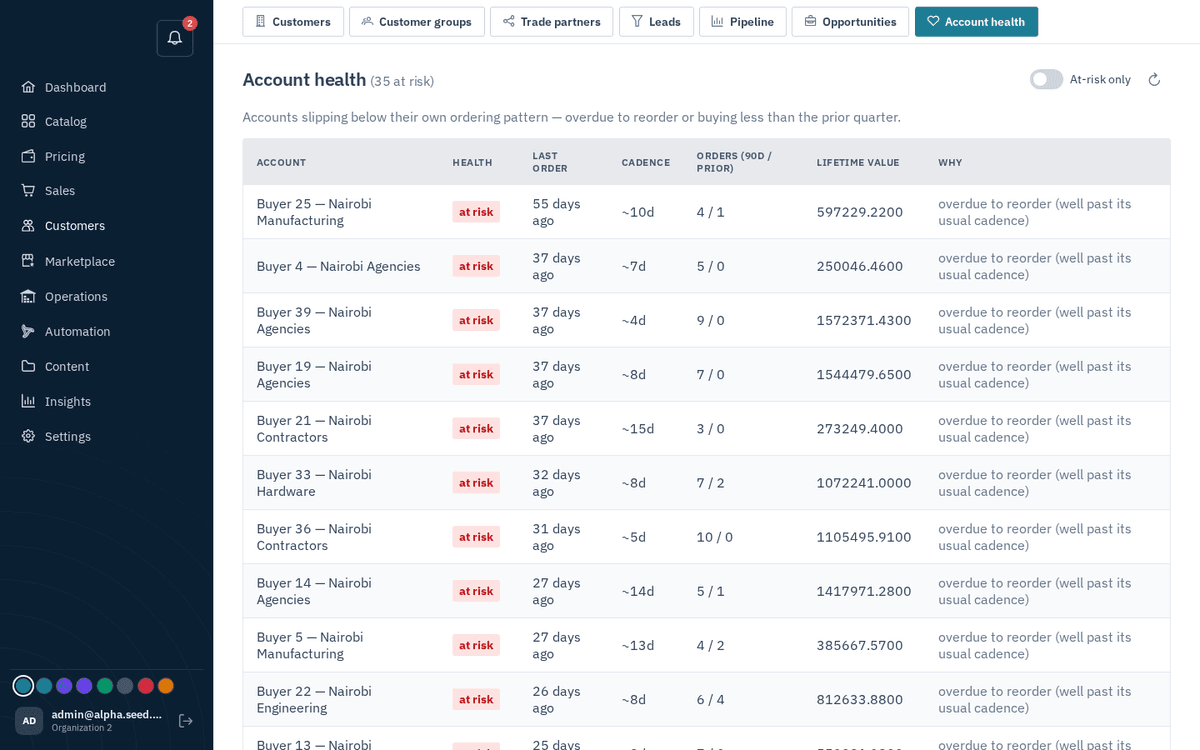
CRM → Account health — churn-risk signals from each account’s own cadence
Columns: Account, Health (at risk / healthy), Last order (N days ago), Cadence (the account’s typical ordering interval, ~N days), Orders (90d / prior), Lifetime value, and Why — a plain-language explanation of the flag. Toggle “At-risk only” to focus the list.
tip
At-risk accounts also surface on the dashboard’s Needs attention panel, so the signal finds you even if you never open this page.