Pipeline
Where: Customers → Pipeline
Customers → Pipeline is the kanban board of your open deals, one column per stage, with weighted totals per column (deal value × stage probability). Drag a card to move a deal to another stage.
A column's count is every deal in that stage. Each column shows its newest 50 cards; Load more at the bottom brings the next ones. The search box finds deals by deal or customer name across the whole pipeline.
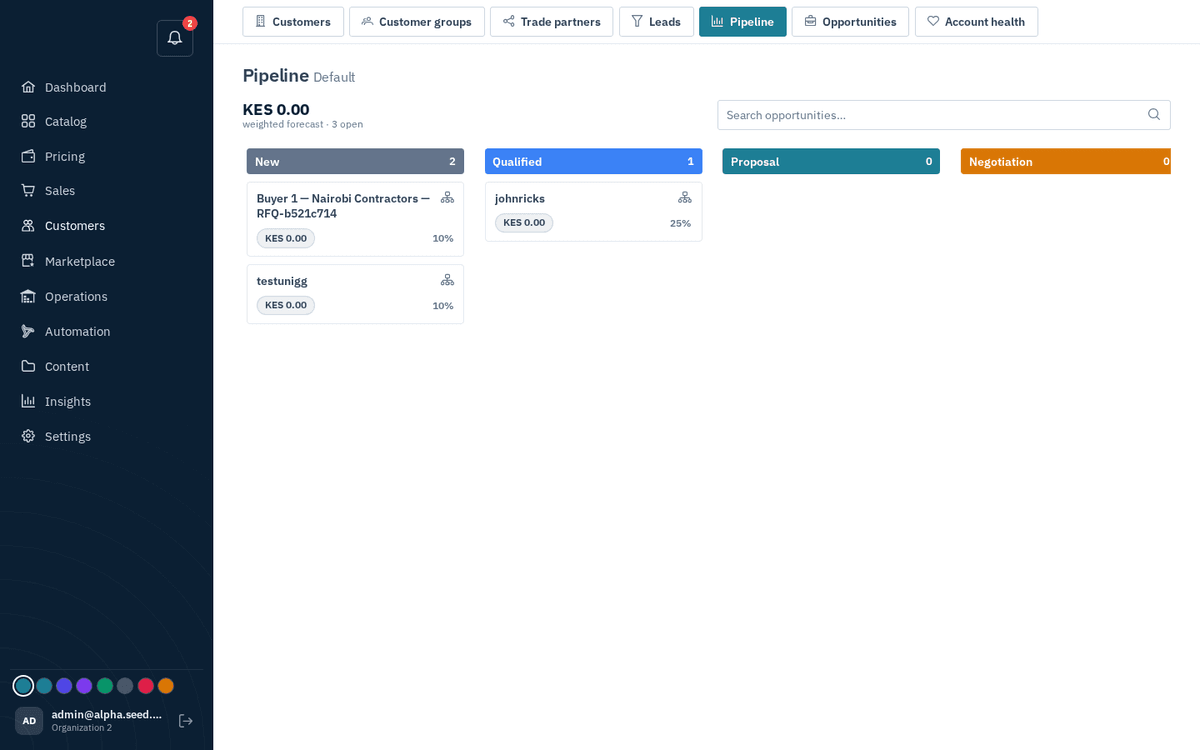
CRM → Pipeline — drag deals between stages; weighted totals per column
The board follows the deal
You can drag a card, but you rarely need to. Six prebuilt automations (on by default, each one switchable under Automation → Prebuilt) move a deal from what actually happens to it:
| What happens | Stage | Deal value |
|---|---|---|
| A buyer submits a request for quote | New | the buyer's target prices, if any |
| A rep sends the quote | Proposal | the quote's subtotal; expected close = the quote's validity |
| The buyer counters, or writes on the quote thread | Negotiation | |
| The buyer accepts | Won | |
| The buyer declines, the request is closed, or the quote expires undecided | Lost | the reason is kept on the deal |
| A request arrives from a customer who already took delivery from you | Qualified | the number of delivered orders is the evidence |
| An established account goes quiet against its own ordering rhythm, or orders less than last quarter | a reorder deal opens at Qualified, with a call task for the rep | the account's average order; once per cycle |
The system only moves a deal forward, never reopens a won deal, and records every move in the deal's history with its reason — so a stage you set by hand is never undone behind your back. A quote written without a request opens its own deal the moment it is sent.
Two more rules watch for silence: three days after a quote goes out with neither a reply nor a counter, the team gets an alert while there is still time to call (change the delay in Automation → Prebuilt to match your sales rhythm), and a quote that lapses undecided closes its deal as Lost. When a buyer writes on a quote thread, the deal moves to Negotiation and the history names what the reply was about — negotiating price, asking a question, raising an objection, ready to proceed, declining.
What to do next
Every open card says what its rep should do now, read from the deal's own state: Quote it / Send the quote (a request still unquoted), Reply to the buyer, Answer the counter, Quiet for N days — call, Expires in N days — follow up, Quote expired — revise or close, Call — due to reorder. Red means now, amber soon, grey means the ball is in the buyer's court. Review and send the draft means a quote is already drafted from the request and only needs checking. Click a card or its next step to open where the work happens: the quote if there is one, otherwise the request, otherwise the customer. The same numbers reach the weekly insights digest: deals opened, won, lost, open and the weighted forecast.