Prebuilt automations
Where: Automation → Prebuilt automations
The page opens with starters — bundles for a kind of business (distributor quote-to-cash, make-to-order manufacturer, services on retainer, dealer network). Install all switches every automation in the bundle on at once; each one can still be turned off on its own.
Go to Automation → Prebuilt automations. Plain-language cards, grouped Sales / Orders / Billing / Customer engagement, each with a toggle switch. As the page says: “Flip one on and it starts working immediately — no setup needed.” Toggling toasts “‹name› — on/off”.
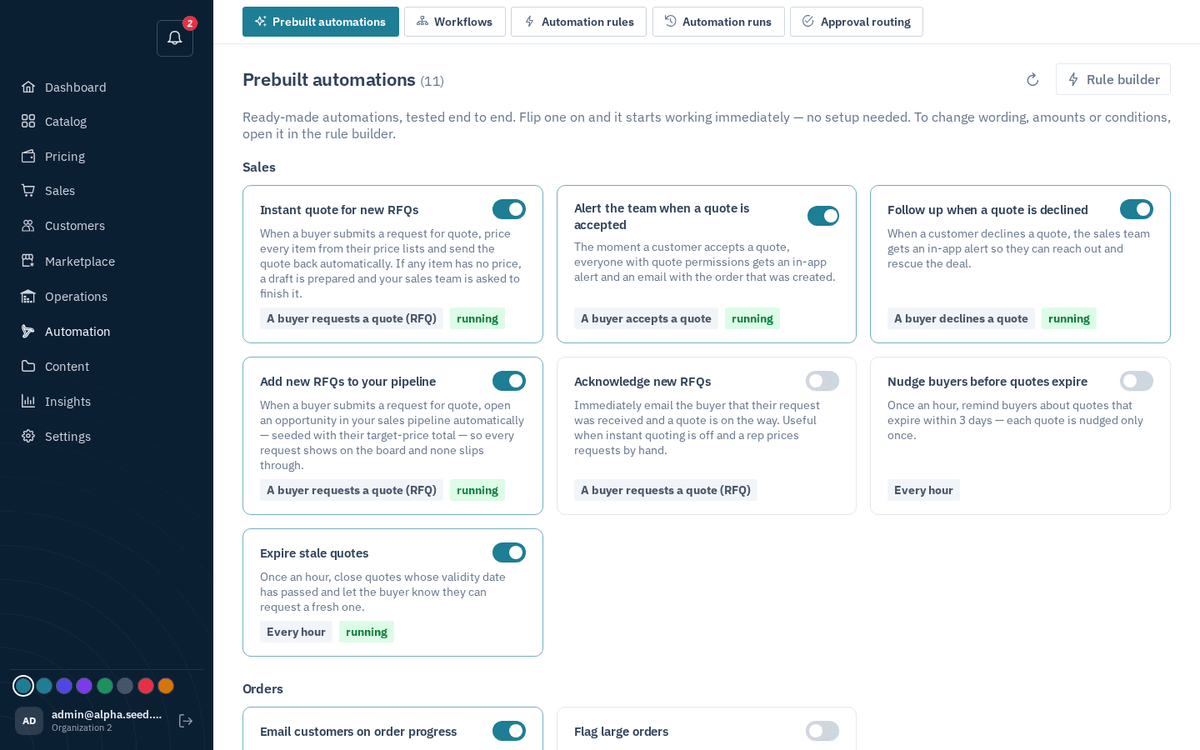
Automation → Prebuilt automations — flip a switch and it starts working
Highlights worth switching on early:
| Automation | What it does |
|---|---|
| Draft a quote for new RFQs | Prices each incoming RFQ from the buyer’s own price lists into a draft and alerts the team to review it; it never sends — a rep presses Send (see RFQs) |
| Quote accepted/declined alerts | Tells the team the moment a buyer decides |
| Pipeline follows the deal (10 rules) | Opens a reorder deal and a call task when an established account goes quiet; moves each deal to Qualified for a repeat customer, Proposal when its quote is sent, Negotiation on a counter or reply, Won on acceptance, Lost on decline, a closed request or an expired quote; nudges the team when a quote gets no reply for 3 days — forward only, with the reason on the deal (see Pipeline) |
| Call every new request within 2 days — escalate if not (off by default) | Opens a call task for the rep on each RFQ and alerts the team if it is not marked done within 3 days — a human step with a deadline |
| Order-status emails | Keeps buyers informed as orders progress |
| Expiring/expired-quote follow-ups | Nudges buyers before quotes lapse; expires stale ones |
| Invoice dunning | Marks invoices overdue and sends chase notices on schedule |
| Remind customers about unpaid invoices | Texts, emails and WhatsApps each customer's billing contact before and after the due date on a cadence you set, business hours only, each stage once (see AR aging) |
| Abandoned-cart recovery | Emails buyers who left a full cart behind |
The “Rule builder” button jumps to custom rules.