Workflows and transition guards
Where: Automation → Workflows
Automation → Workflows shows the stage maps that orders, quotes, and shipments follow — the same maps that decide which transition buttons you saw in Orders.
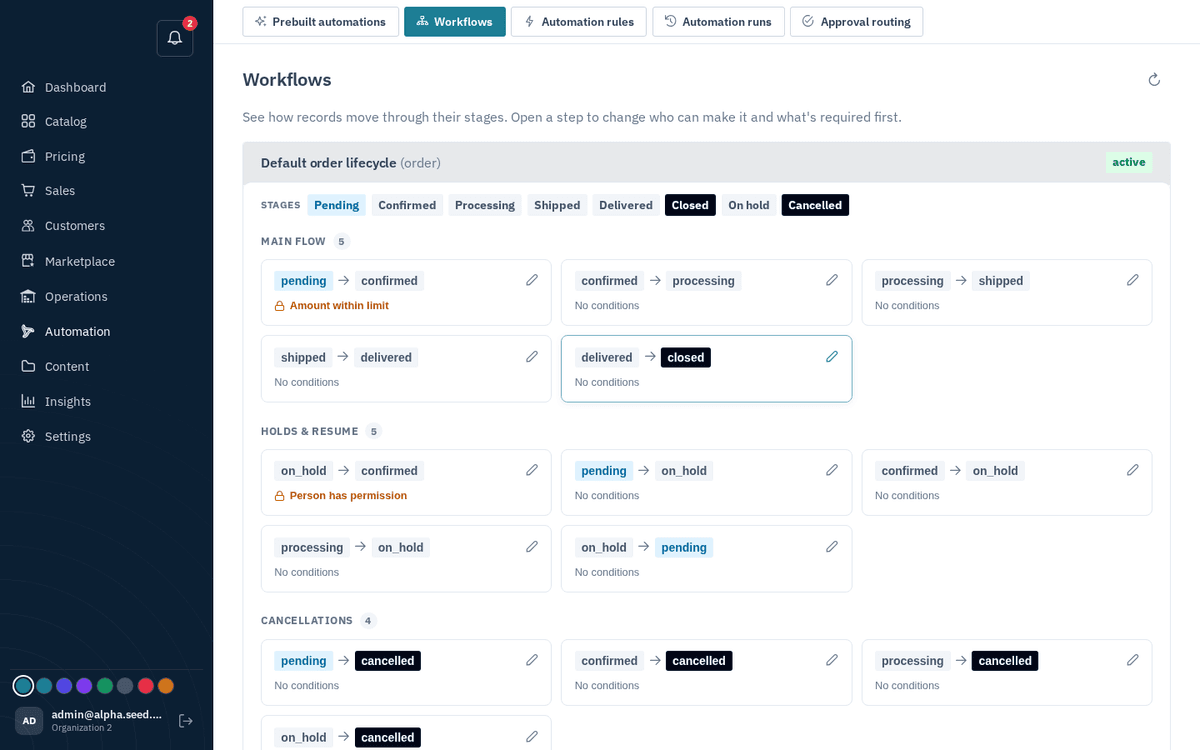
Automation → Workflows — the stage maps orders, quotes and shipments follow
Click any transition card to edit its Requirements (“all must be met”) — guards chosen from a catalog (e.g. “amount within the approval limit”, “actor has a given permission”). Saving toasts “Transition updated”. Guards are why some transitions refuse with a “blocked: …” message: the rule you (or your operator) set here vetoed it.
note
Change guards deliberately — they’re organization-wide policy, not per-order settings.