Tax & shipping
Where: Pricing → Tax & shipping
Pricing → Tax & shipping has two sections.
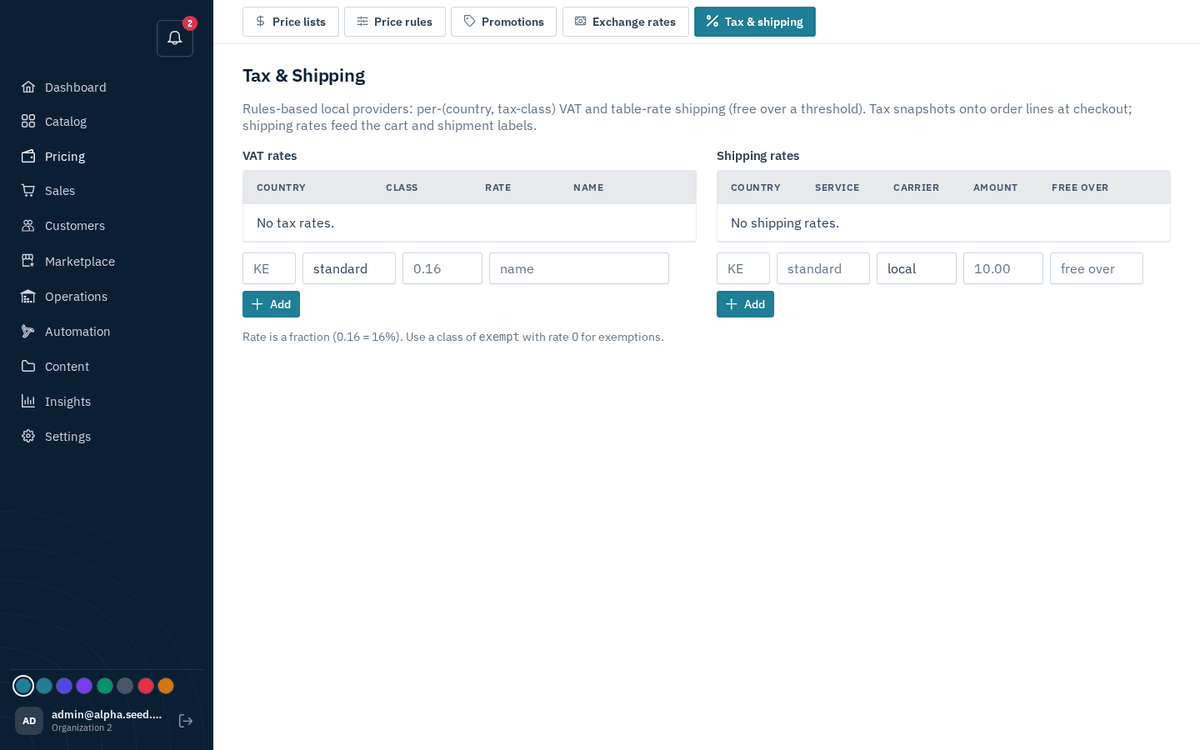
Pricing → Tax & shipping — VAT rates and table-rate shipping
VAT rates. Add rows inline: country (2-letter code), tax class, rate, and name, then press Add (click an existing row to edit it and the button becomes Save). The key detail, quoted from the page: “Rate is a fraction (0.16 = 16%). Use a class of exempt with rate 0 for exemptions.”
Shipping rates. Table-rate shipping: country, service name, carrier, amount, and an optional “free over” threshold. These rates are what appear as delivery options in the quote editor and at storefront checkout. Validation: “2-letter country + service required”.
If the quote editor says “No rates for the customer’s destination”, it means no shipping rate row matches the buyer’s country — add one here.
KRA eTIMS
Register the store's eTIMS device here once: the KRA PIN, the branch id (00 for the head office), the device serial number KRA issued, and whether this is the sandbox or production environment. Registration asks KRA for the device key, which is kept sealed and never shown; the control unit id KRA assigns is displayed when it succeeds. Also set the default item class code (KRA's classification for what you sell, from the eTIMS code list), the registrar name printed on fiscal documents and an optional receipt headline.
From then on every invoice issued is signed and printed with KRA's proof (see Invoices). Remove stops signing; invoices already signed keep their proof.