Data quality and data health
Where: Catalog → Data quality · Catalog → Data health
Completeness and Data quality
Go to Catalog → Data quality. Every product is scored on how complete it is — description present, images attached, specs filled — and the list shows the least complete first, each with a progress bar and a percentage tag (green at 90%+, amber at 60%+, red below), plus “Missing” chips naming exactly what’s absent. Only products that fail a check are listed, and the count beside the title is how many still need attention across the whole catalogue; page through them at the foot of the table. Press Fix on any row to open that product’s edit dialog directly.
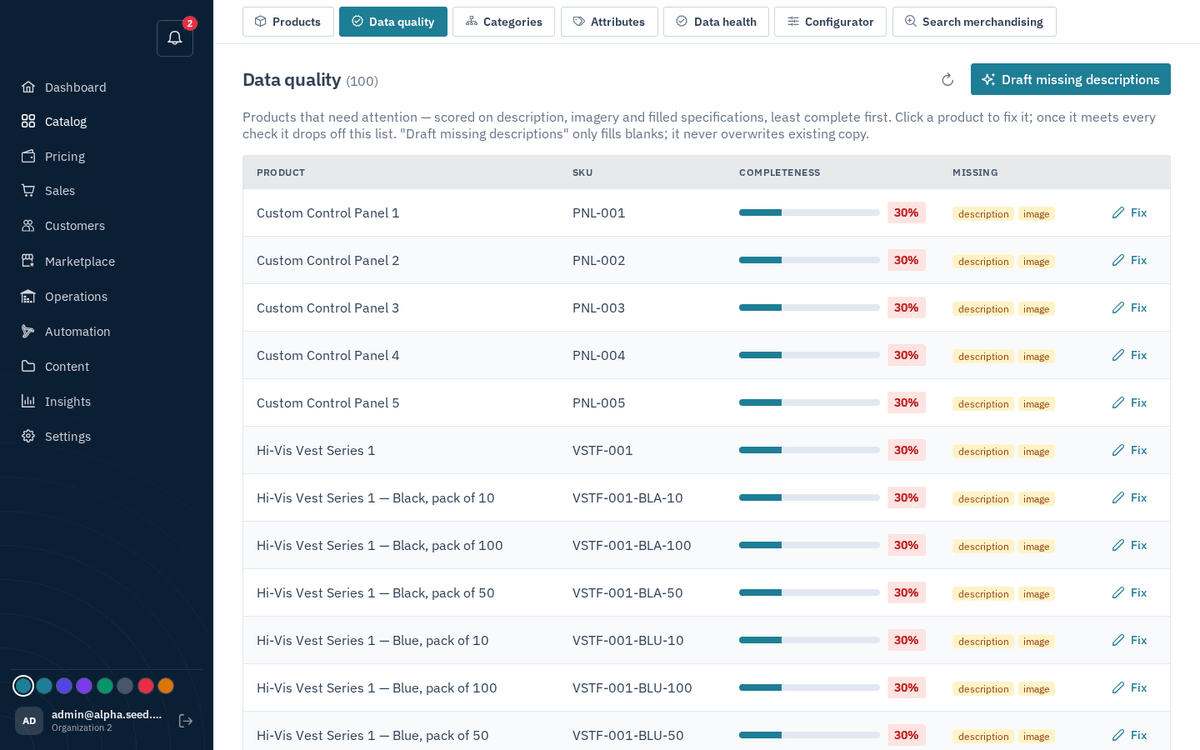
Catalog → Data quality — completeness scores with one-click Fix
Parse specs reads what each name already states into its attributes with no AI, and in the same pass marks the attributes a kind of product cannot have as not applicable (a nut's or a washer's length) and settles a material the standard fixes (tapping and self-drilling screws to DIN 7981, 7982, 7504 and the like are steel unless the name says stainless). Only gaps a person must answer remain in Data health afterwards.
The header button “Draft missing descriptions” runs the AI over every product that has no description and fills the blanks in bulk — the toast reports “Drafted N description(s)”. As the page itself notes: “‘Draft missing descriptions’ only fills blanks; it never overwrites existing copy.” When everything is in shape the page says: “Every product passes the quality checks.”
Data health
Go to Catalog → Data health. Where Data quality scores general completeness, Data health measures products against their required attributes — the fields you’ve declared mandatory. This is the number that feeds the dashboard’s Catalog health tile and the “Products missing required data” needs-attention row.
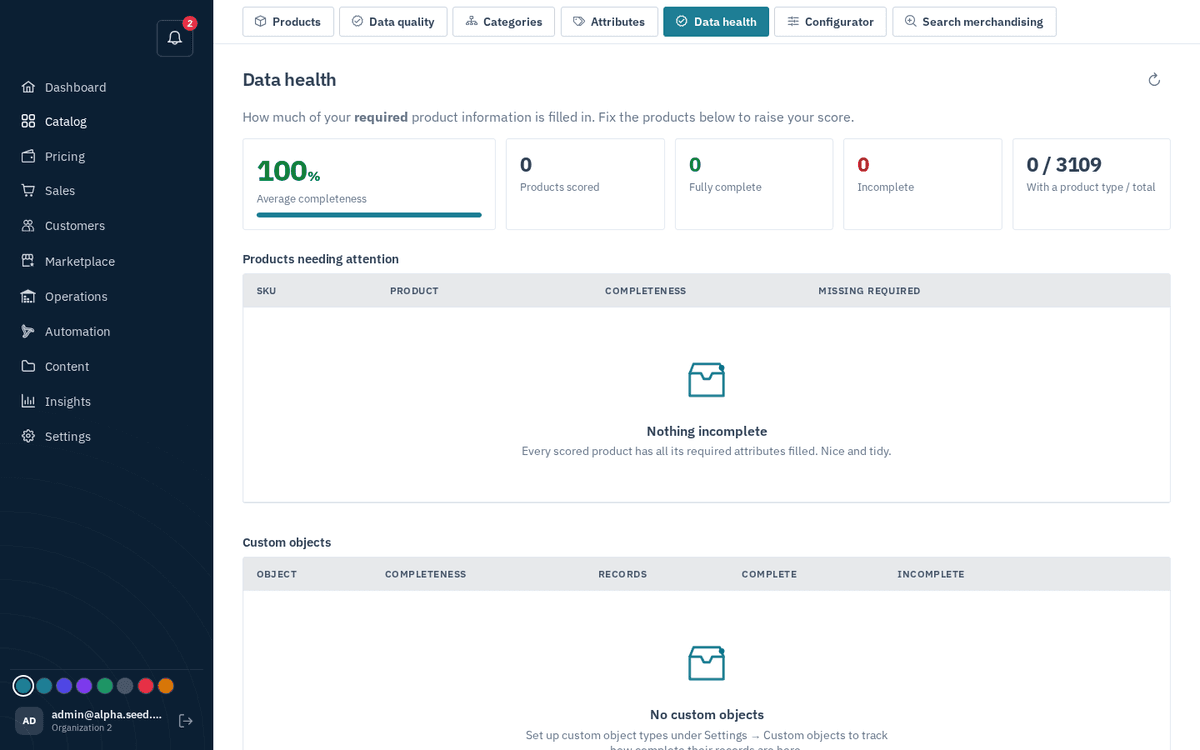
Catalog → Data health — completeness against required attributes
Fix in bulk
Most gaps repeat across one kind of product, so Fix in bulk groups them: the kind of product (the part of its name before the colon, such as HT Hex Nut), the missing attribute, and how many products share the gap. Each group offers up to three actions, and none of them overwrites a value that is already set:
- Fill copies a value the products already state: a size written in the name (7 x 50mm gives a diameter of 7mm and a length of 50, a washer's 10.5 its 10.5mm bore, a welding rod's 6013/3.2mm its class and diameter, a zinc-plated finish a steel material) or the same fact under a related attribute (a welding rod's nominal diameter fills its diameter). From product data shows how many can be filled and an example. Fill … from product data at the top runs every group at once.
- Doesn't apply is for attributes a kind of product cannot have, such as a length on nuts and circlips. Those products stop counting as incomplete, and nothing is added to product pages or filters. Where the kind of product makes it plain (a nut has no length), the group says likely don't apply, and Mark … as doesn't apply at the top marks all of those at once.
- Set value writes one value on every product of the kind where the attribute is empty, for facts only you know (for example the material of a range of screws).
Filling and setting values needs permission to manage products; anyone who can view Data health sees the groups.
Make a habit of clearing Data health before big pushes (a new feed channel, a season launch). Complete data is what makes search, filters, and shopping feeds work well.