Attributes
Where: Catalog → Attributes
Attributes are the structured “details” you attach to products — brand, material, thread size, voltage — and they power storefront filters, data-quality scoring, and imports. Manage them at Catalog → Attributes.
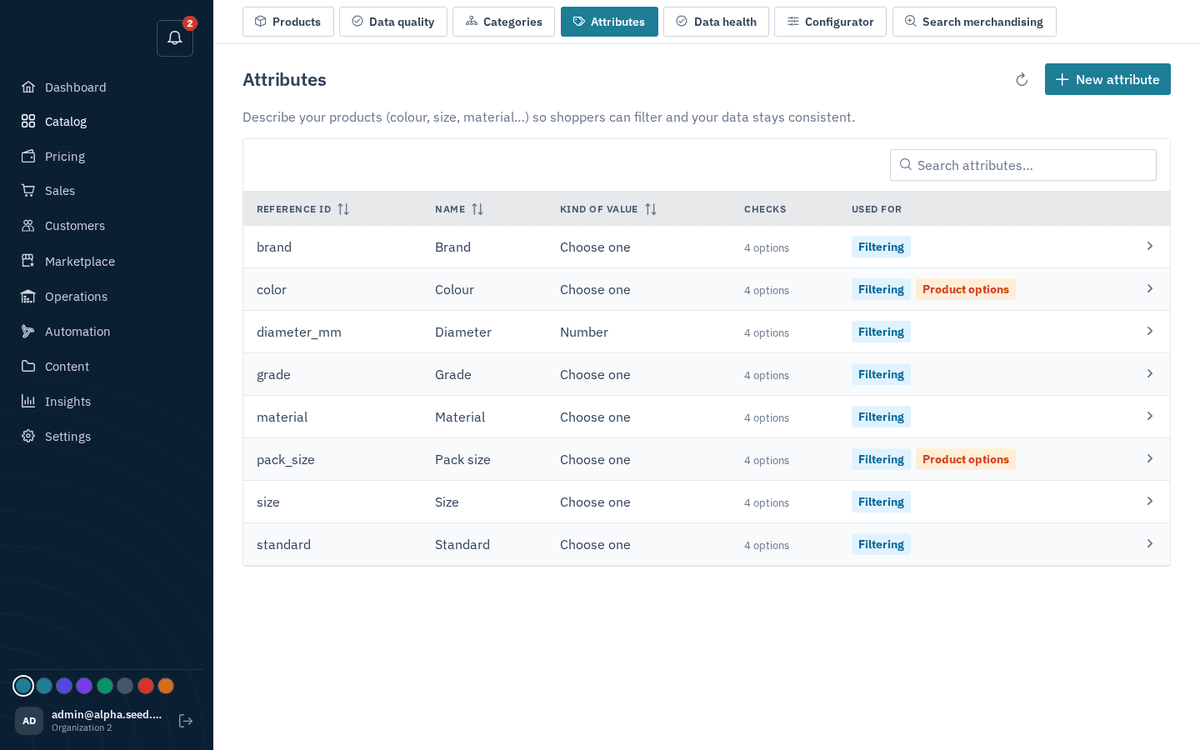
Catalog → Attributes — definitions and validation rules
An attribute definition has:
| Field | Meaning |
|---|---|
| Label | What staff see, e.g. “Thread size” |
| Code | The stored key — auto-filled from the label |
| Type | Text / Number / Yes-No / Choose one / Choose several / Date / Price |
| Choices | For the two “Choose” types: the allowed values, comma-separated |
Attributes can also carry validation rules (patterns, length limits, numeric ranges, allowed values), and those rules are enforced everywhere the same way — whether a value arrives from the product dialog, a bulk import, or a partner feeding data in through the API. Attributes marked required feed the completeness scoring you’ll meet in Data quality and data health and Data quality and data health.
You don’t have to leave the product form to add a missing attribute — the product dialog has a “New attribute” quick-create button (see below).