Tracking orders
Where: Orders in the sidebar
The orders list
Open Orders in the sidebar.
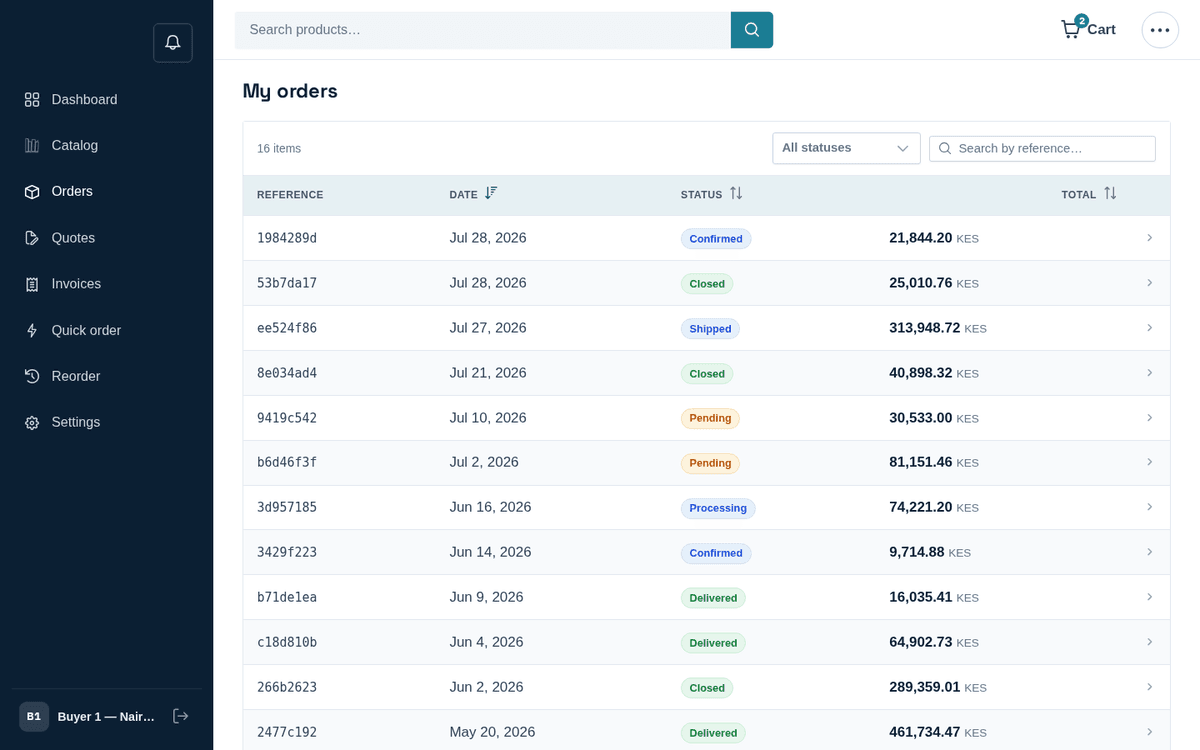
My orders — search, filter and open any order
Columns: Reference (an 8-character code), Date, Status, Total. Use “Search by reference…” and the status filter to find things fast; click a row to open the order. The list opens with your 20 most recent orders and Load more orders at the bottom adds the next 20 (“Showing N of M”); search, the status filter and the column sorts always cover every order you have, not only the ones on screen.
Order statuses you’ll see, in the usual life order:
| Status | Meaning |
|---|---|
| Pending | Placed, awaiting the seller’s confirmation |
| Confirmed | Accepted by the seller; stock reserved |
| Processing | Being picked and prepared |
| Shipped | On its way — Track delivery under Shipments shows the driver, live position and ETA |
| Delivered | Received at your address |
| Closed | Completed and archived |
| On hold | Paused — commonly waiting for an internal approval (Approvals and spending limits) |
| Cancelled | Called off; nothing further happens |
The order page
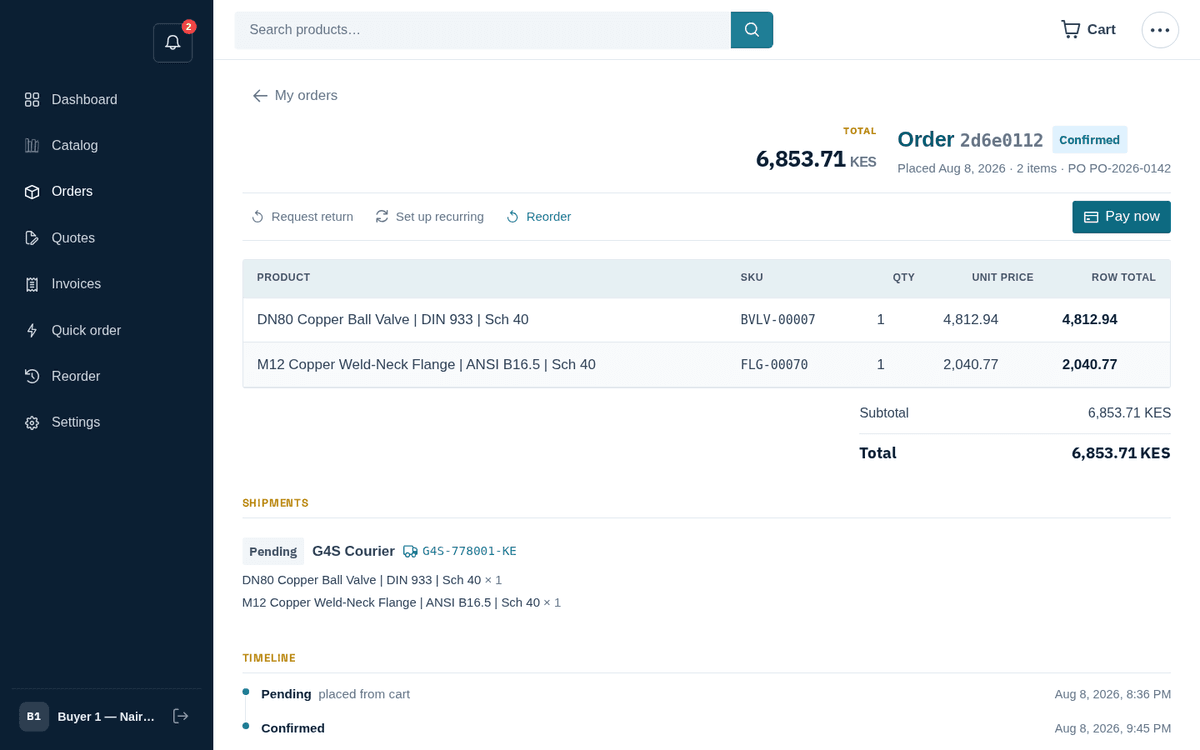
An order: items, shipments with tracking, timeline and actions
The header shows “Order ‹ref›” with its status tag (plus a “Paid” tag once settled), the Total, and the meta line “Placed ‹date› · N item(s) · PO ‹po› · Requested delivery ‹date› · Collect from ‹location›” (or “Deliver to ‹address›”) — the fulfilment you chose when accepting the quote or checking out.
The action bar offers, depending on state: Request return (Returns and credit notes), Set up recurring (Recurring orders, budgets and rebates), Reorder (Quick order and reorder), and Pay now on the right for live unpaid orders.
Below:
- Items — Product, SKU, Qty, Unit price, Row total, then Subtotal / Discount / VAT / Shipping / Total.
- Shipments — one entry per shipment (orders can ship in parts): status tag, carrier, the tracking number, “Shipped ‹date›”, and exactly which items and quantities are in that box. Take the tracking number to the carrier’s site to follow the truck.
- Timeline — a dotted rail of every status change with notes and timestamps: your audit trail of what happened when.
- Questions about this order — a message thread pinned to this order (“Ask about delivery, docs, changes…”). The seller replies in the thread and you get a notification. This beats email: the context travels with the order.
Pay now on an order charges a card immediately and produces the invoice in one step — useful when you’d rather prepay than wait for terms. If a card is declined you’ll see “The card was declined. Please try another card.”
Related topics
- Checkout
- Invoices and payment
- Returns and credit notes
- Recurring orders
- Approvals and spending limits
Tracking a delivery
When the seller delivers with their own driver, each shipment on your order page gains Track delivery. The tracking page shows the driver's name, their live position on the map once they share it, the road ETA and every milestone: left the warehouse, nearly there, delivered with the receiver's name. The page needs no sign-in, so you can forward its link to whoever receives the goods on site. You are also notified when the goods leave, when the driver is close and when they are delivered.
When you accept a quote for delivery or check out, the address form has a map: search a place, tap the pin onto the exact gate or use your phone's location, and add a note for the driver. That pin is where the driver is sent.