Account settings
Where: Settings in the sidebar
Open Settings in the sidebar. A section rail on the left switches between panels:
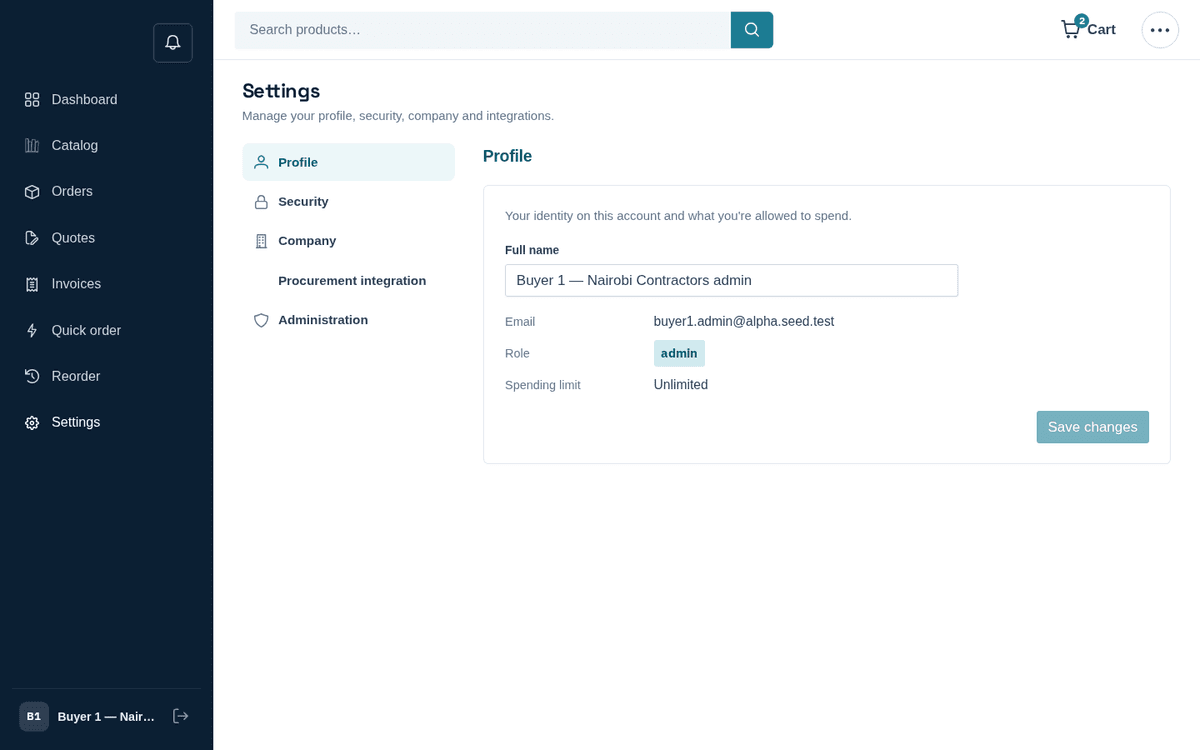
Account settings: profile, security, company, procurement integration
Profile — edit your Full name (so “your team and our reps know who’s ordering”); your Email, Role and Spending limit are shown read-only. Press Save changes.
Security — change your password: Current password, New password (At least 8 characters.), Confirm new password, then Change password; you stay signed in on this device. A wrong current password is named under its field. The same tab holds the passport card, “One login for all your suppliers”.
Company — your company’s Name and Tax ID (editable by admins; read-only for everyone else, with the note “Company details are maintained by your account manager — contact us to update them.”), plus read-only Payment terms (days) and Credit limit — the commercial terms your invoices follow.
Procurement integration — for companies that buy through a procurement system (SAP Ariba, Coupa, SAP S/4HANA and similar). The panel shows a status tag (Not connected / Inactive / Setup incomplete / Connected) and two capability cards: PunchOut cXML (your buyers shop this catalog from inside your procurement system and bring the cart back) and Electronic purchase orders (your system sends POs straight in). Copyable endpoints — the PunchOut Setup URL and the Electronic PO endpoint — plus setup guides per system are provided; a company admin manages the credential card (cXML sender identity, Generate secret & activate, Rotate shared secret, Activate/Deactivate).
When you generate a shared secret it is shown once: “Copy it now — for security it won’t be shown again.” Paste it into your procurement system immediately. Non-admins see: “Only a company admin can configure the procurement connection — ask your account admin to activate PunchOut.” And as the panel says — “Need help wiring it up…? Talk to our team.”
Administration — shortcut buttons for admins and approvers: Manage company users and Review order approvals.