Submitting for review
Where: Submit for approval on a Draft or Rejected row
Submitting for review
- On a Draft (or Rejected) row, click Submit for approval.
- On success you’ll see the toast “Submitted for approval”, and the status flips to In review.
If the button fails with “Submit failed” and the detail “product not found or not in a draft/rejected state”, the product was already submitted (perhaps by a teammate) — refresh the list.
What the operator does with it
Your submission appears in the operator’s Catalog moderation queue, alongside other vendors’ listings. They see your photo, SKU, name and proposed price tiers, and choose Approve or Reject — a rejection always invites them to “Tell the vendor what to fix”, and that reason comes straight back to you.
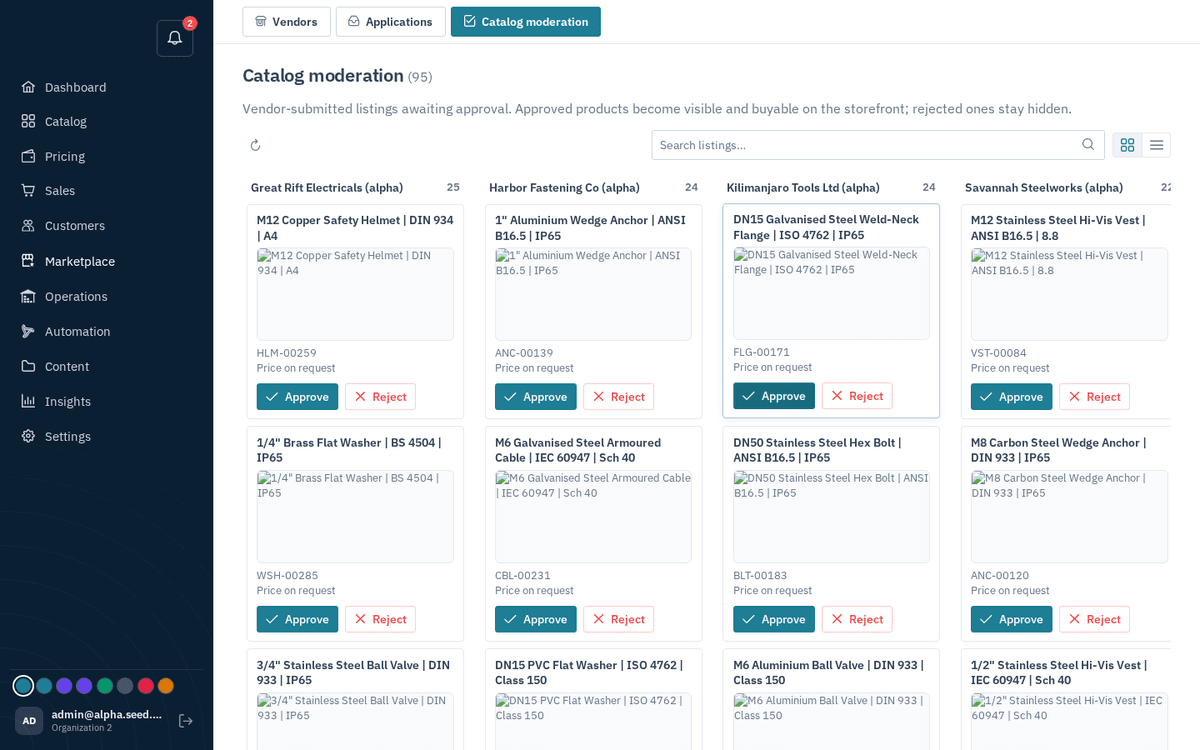
The operator’s Catalog moderation queue — your listing waits here until it’s approved
Two outcomes:
- Approved. You get the bell notification “Listing approved: [name]” — “It is now live and buyable on the storefront.” The operator’s approval also publishes your proposed price tiers, so buyers immediately see your pricing. On the storefront, your product page carries a “Sold by [your business]” badge, so buyers know it comes from you.
- Rejected. You get “Listing needs changes: [name]” with the operator’s reason (or the generic “Update it and re-submit for review.”). The status shows Rejected in Products (and Needs changes on the dashboard).
Fixing and resubmitting after a rejection
- In Products, find the red Rejected row and click its expand arrow — the operator’s full reason appears in amber under Rejected.
- Click the pencil to open “Edit product” and fix what was flagged: better photos, a clearer description, corrected prices.
- Click Save & submit. Saving an edit automatically re-submits: the toast reads “Sent for approval” — “Your changes (including prices) go to the marketplace operator for approval.” (Alternatively, if you changed nothing in the dialog, the Submit for approval row button does the same.)
- The listing returns to In review and the cycle repeats.
the same mechanism applies to Approved products. Any edit you save is sent back to the operator for review, so a live listing returns to In review until they re-approve your changes. Plan significant edits for quiet periods.