Vendors
Where: Marketplace → Vendors
Go to Marketplace → Vendors. The page states the model: “Marketplace sellers. Commission is the operator’s take; orders split per vendor and settle into payouts.” Views: list or kanban (active / pending / suspended).
Before you begin
- Decide the default commission percentage and payout terms — they are frozen into each order at the moment of sale.
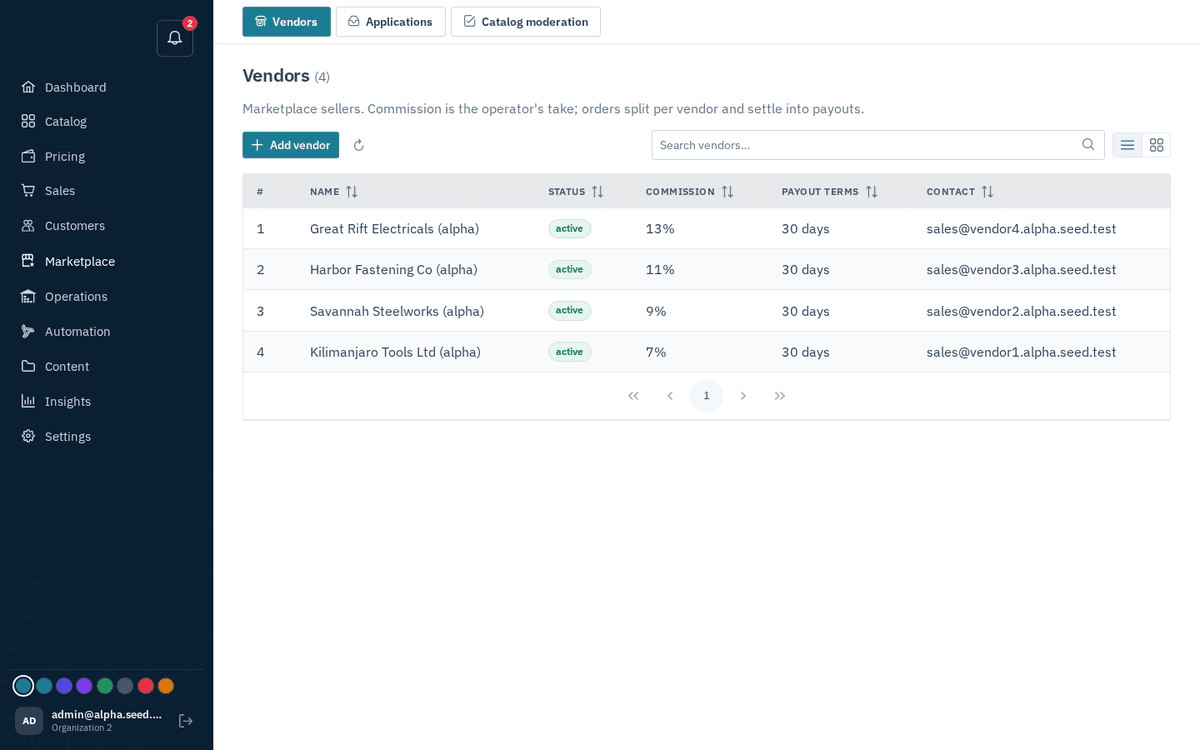
Marketplace → Vendors — commission, payout terms, users and payouts
Creating a vendor by hand:
- Press “Add vendor”.
- Fill in: Name, Contact email, Commission % (0–100; the default is 10), Payout terms (days) (default 30), and Status (Active / Pending / Suspended).
- Save — toast “Vendor created”.
The vendor detail drawer (click a row) has four sections:
- Profile — Name, Status, Commission %, Payout terms (days), Contact email, and Payout account — “(for non-manual gateways, e.g. a Stripe acct_… id)”, placeholder “Leave blank for manual bank transfers”. Press “Save profile”.
- Portal users — the vendor’s own logins for their portal: add rows with Full name, Email, Password, and Role (Member / Admin), then Add.
- Commission rules — per-category overrides of the default rate: pick a Category, set the rate %, press “Add rule”. The section reminds you: “products with no matching rule use the N% default.”
- Payouts — see Payouts.